Company Creation in Tally
Welcome to Day 1 of Tally Course by MDC Institute!
In this lesson, you will learn how to create a company in Tally step by step.
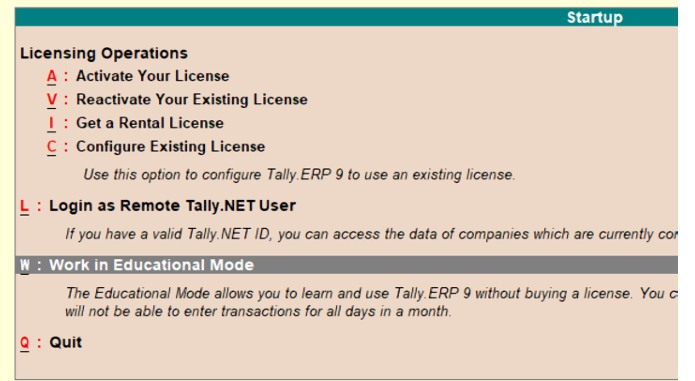
Step 1: Open Tally Application
Launch the Tally software on your computer.
Step 2:- Select Option “Work in Education Mode” (Alt + W)
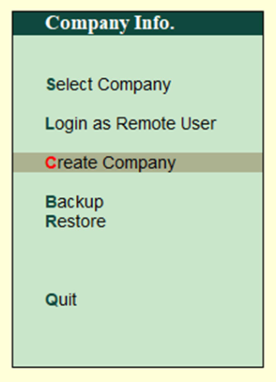
Step 3:- Go to “Company Info” (Alt + F3)
Step 4:- Company Info--------------------Select Option “Create
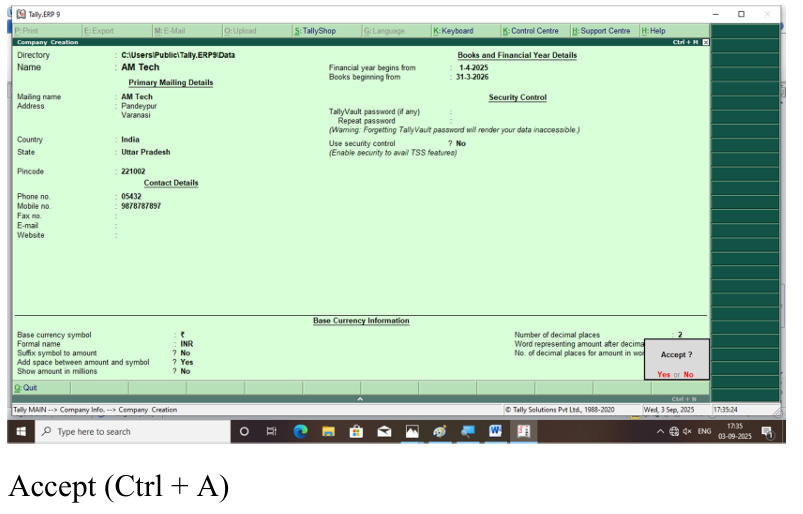
Company” (C)
Note- Fill All Details According Your Company